Motion graphics
Keyframed motion, on a tablet, without a watermark.
Titles, explainers, logo animations and animated edits: AnMotion is a layer-based motion graphics editor for Android tablets, with the tools you expect from desktop software.
Keyframes
Every property, every curve
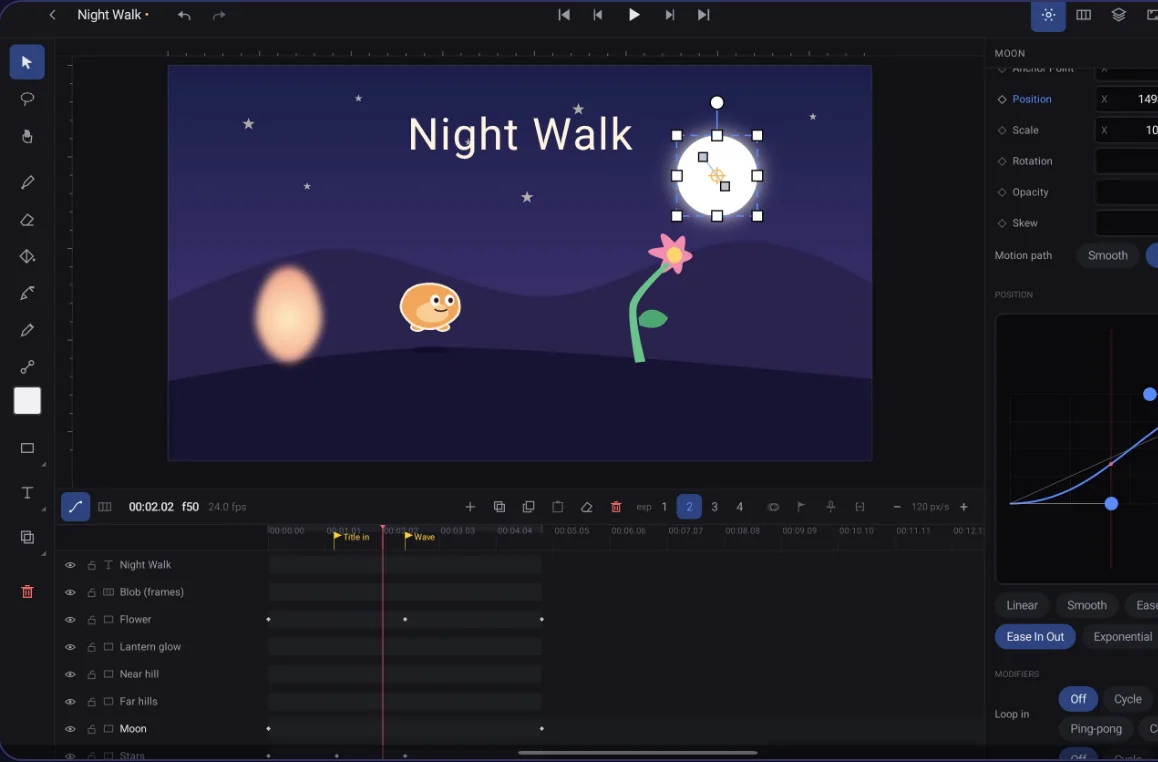
Position, scale, rotation, opacity, skew, anchor point — and every shape, mask and effect parameter — can be keyframed. Select a segment and shape its easing in the curve editor; drag motion-path handles on the canvas.
- Ease presets or a custom bezier curve
- Loop, ping-pong, offset, continue
- Wiggle modifier with amount and detail
Compositing
Real compositing, not stickers
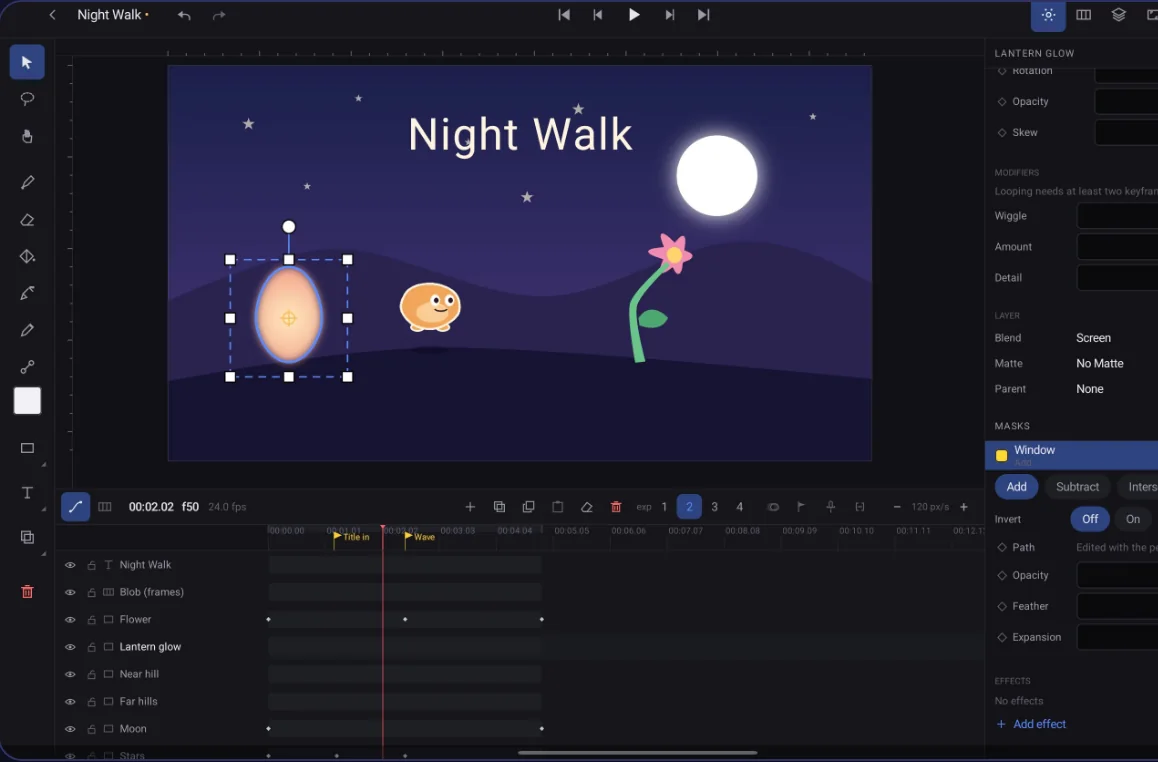
Combine masks with add, subtract, intersect and difference, feather and expand them, and animate the path. Use any layer as an alpha or luma track matte. Blend modes and precompositions keep big scenes manageable.
Rigging
Characters that bend
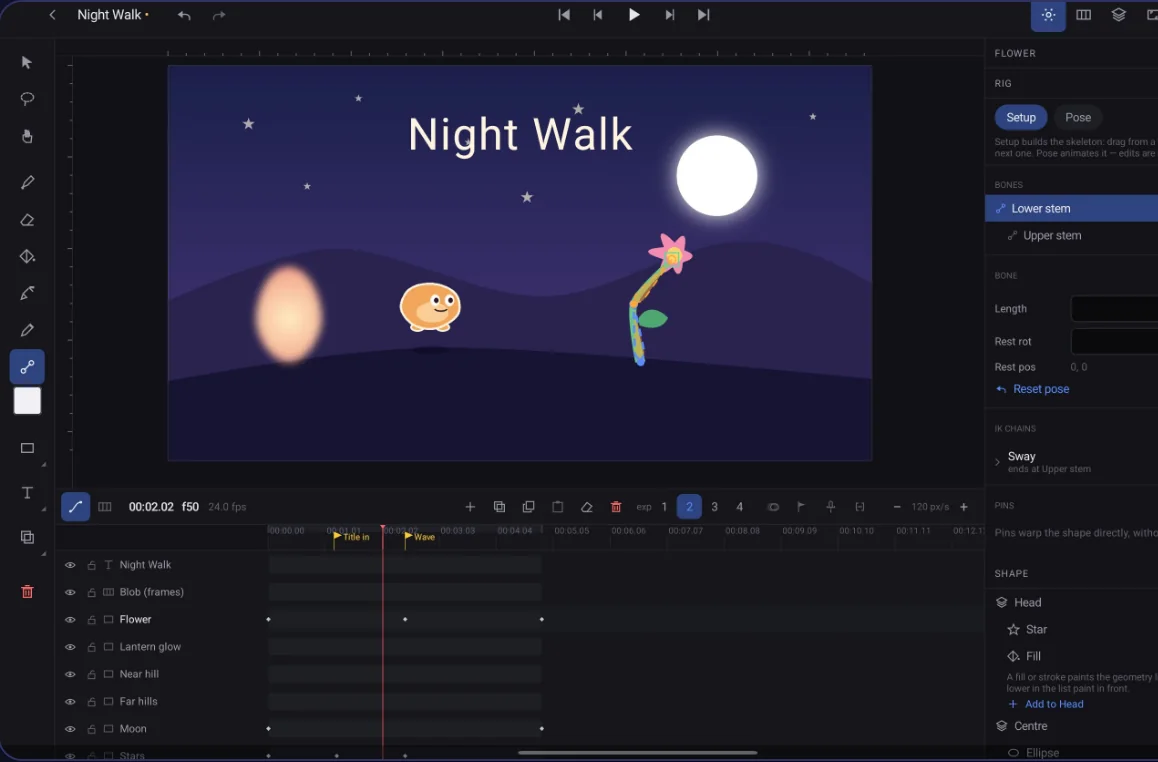
Draw bones into a vector layer, bind it, and pose with inverse kinematics: drag the hand, the elbow follows. Puppet pins warp a shape directly when a full skeleton is overkill.
The toolbox
- Shapes and the pen tool — rectangles, ellipses, stars and free paths with trim paths, repeater, round corners, merge and gradient fills.
- Text — import your own TTF or OTF fonts (they travel inside the project file) and animate per character with range selectors.
- Effects — blur, glow, drop shadow and colour adjustments, every parameter keyframeable.
- Layers — parenting, precompositions, blend modes, trimming in and out points on the timeline.
- Precision — rulers, guides, grid, snapping, markers, a work area, and timecode or frame-number display.
- Sound — import audio and video, record voice-over onto the timeline, set volume, pan, speed and fades per clip.
- Frame rates — from 8 to 120 fps, including true 23.976 and 29.97 — timing is rational, so long projects do not drift out of sync with the sound.
Drawn and vector, together
Motion graphics often need a hand-drawn touch: a scribbled underline, a boiling outline, a character drawn on twos. AnMotion draws frame by frame on the same timeline, so you never round-trip between apps. See frame-by-frame animation.
Export
MP4 with H.264 or HEVC and sound, animated GIF, or a PNG sequence — at draft, standard, high or maximum quality. The free version exports exactly like the paid one: no watermark, no resolution cap.
Draw it. Then make it move.
The whole app is free with one project. One purchase, no subscription, unlocks as many as you like.
Free on Google Play · Android tablets