Animation studio for Android tablets
Draw it.
Then make
it move.
Frame-by-frame drawing and keyframed motion graphics in one app. Hand-drawn frames and animated layers share one timeline.
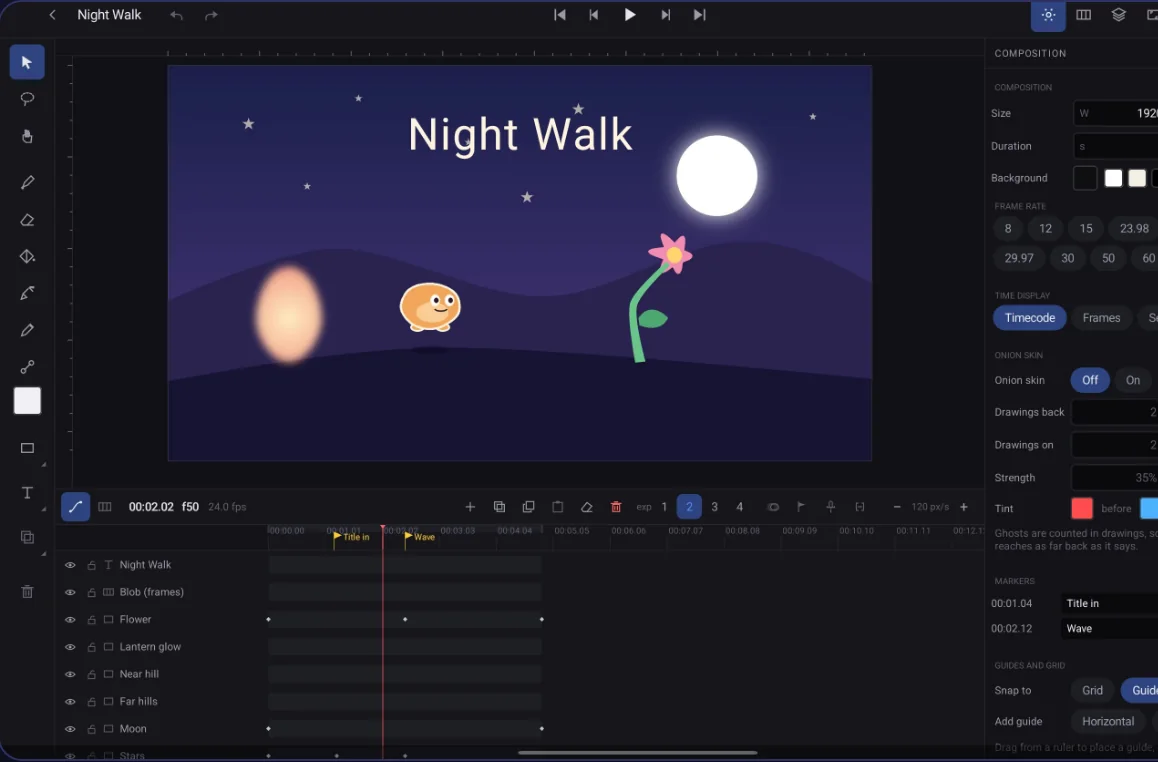
One timeline
The flipbook and the motion editor stopped being two apps.
A drawn cel in AnMotion is a layer like any other. Parent it to a shape, mask it, blur it, move it along a path — without exporting from one app and importing into another.
Draw every drawing
Low-latency pressure inking, onion skin counted in drawings, exposure on ones, twos or threes, a fill bucket that reads your line art, lasso and palettes.
Animate every property
Keyframes on everything, a curve editor for easing, masks and track mattes, vector shapes, text animators, effects and bones with inverse kinematics.
Frame by frame
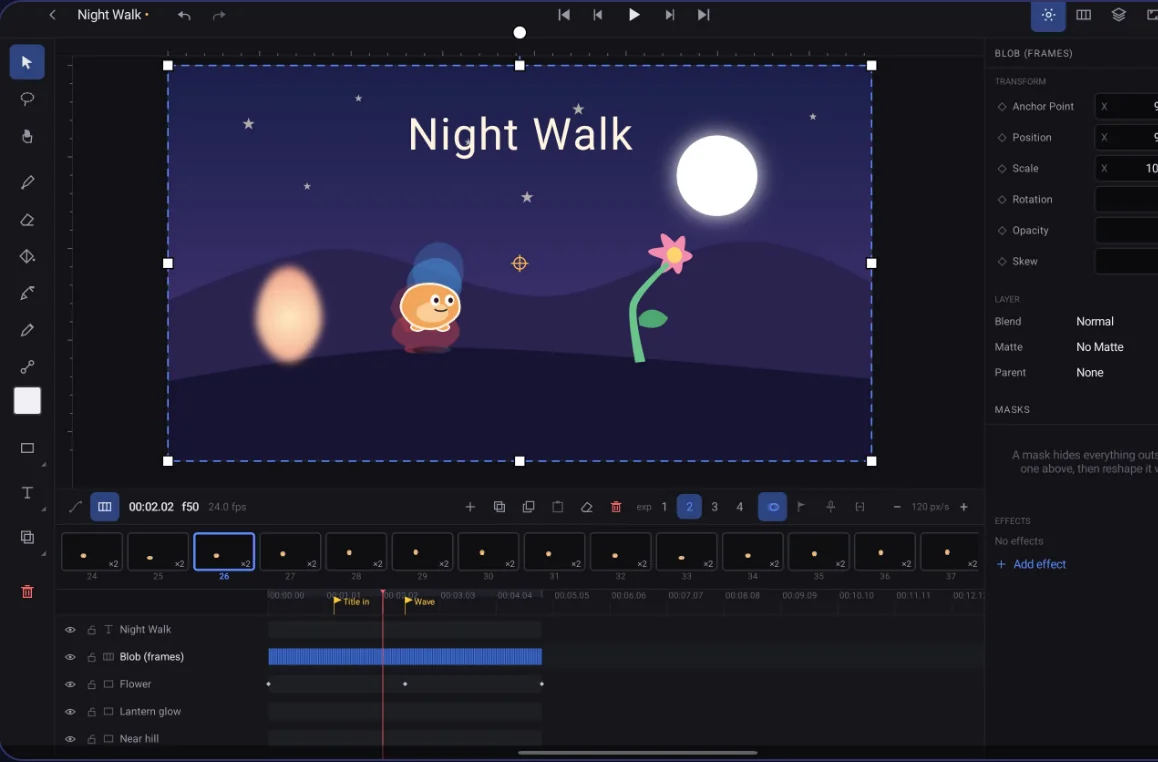
Onion skin that counts drawings
Draw on ones, twos or threes. The ghosts show the drawings around you, not the frames — so when you work on twos, one drawing back really is the previous drawing.
- Adjustable range and strength, tinted before and after
- Frame strip with drag-to-reorder
- Step drawing by drawing, not frame by frame
Motion
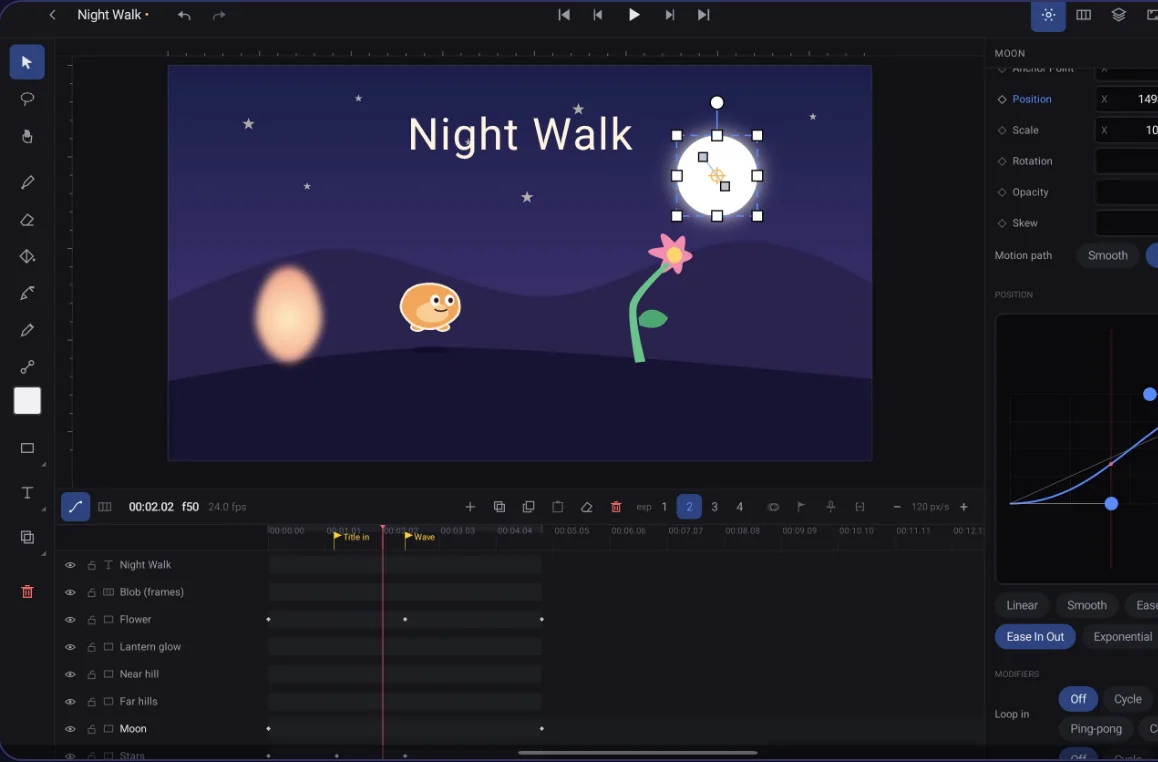
Keyframe anything. Shape every curve.
Every property animates. The easing editor follows the segment under the playhead, and motion paths are curves you edit right on the canvas.
- Linear, smooth, ease in, ease out, exponential, overshoot — or your own curve
- Loop, ping-pong, offset and continue past the last key
- Wiggle for hand-held, organic motion
Compositing
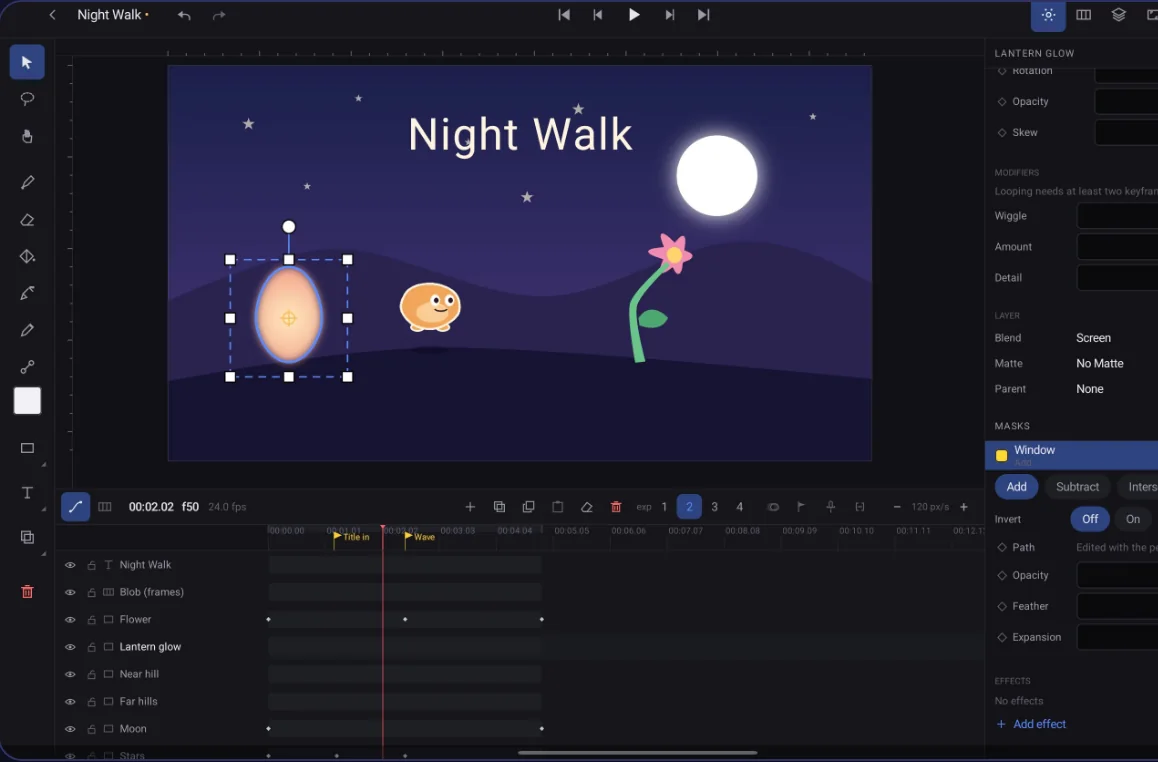
Masks, mattes and blend modes
Stack masks with feather and expansion. Alpha and luma track mattes. Blend modes and precompositions — on drawn and vector layers alike.
- Add, subtract, intersect and difference masks
- Inverted mattes and masks
- Blur, glow, drop shadow and colour adjustments
Rigging
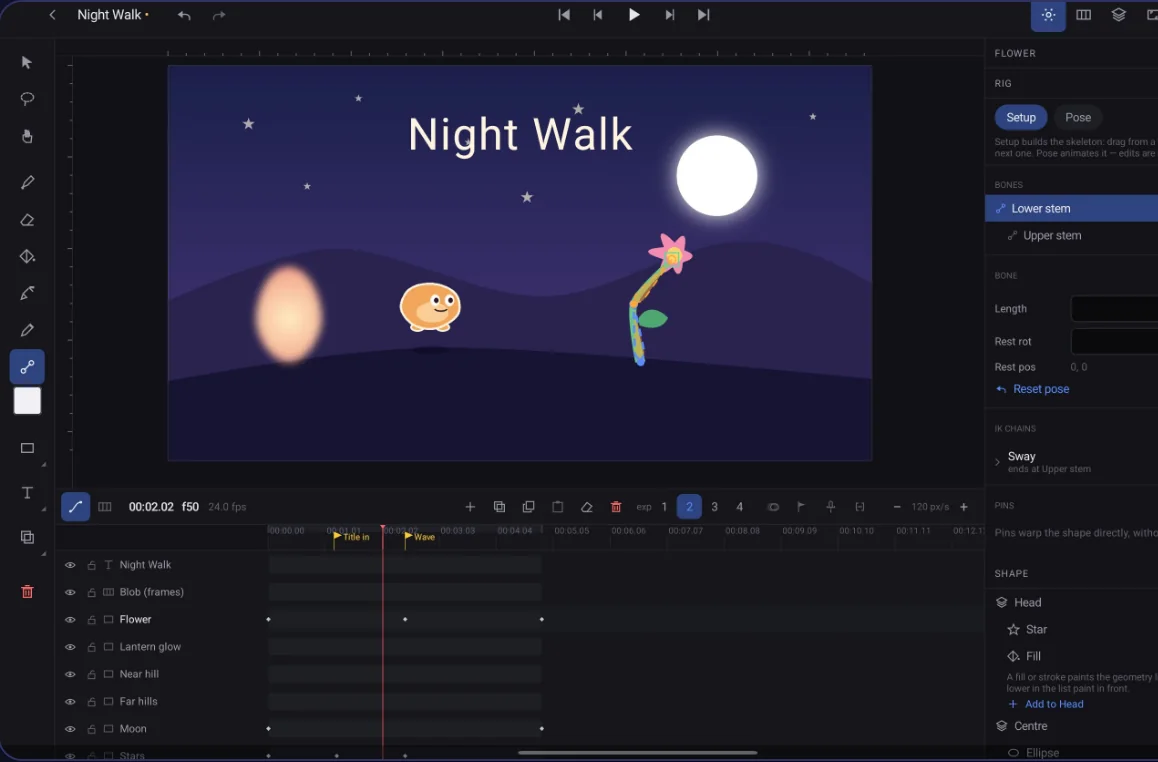
Bones that bend your shapes
Build a skeleton, drag a hand and let inverse kinematics pose the arm. Puppet pins warp a shape directly when a skeleton is more than you need.
Stylus
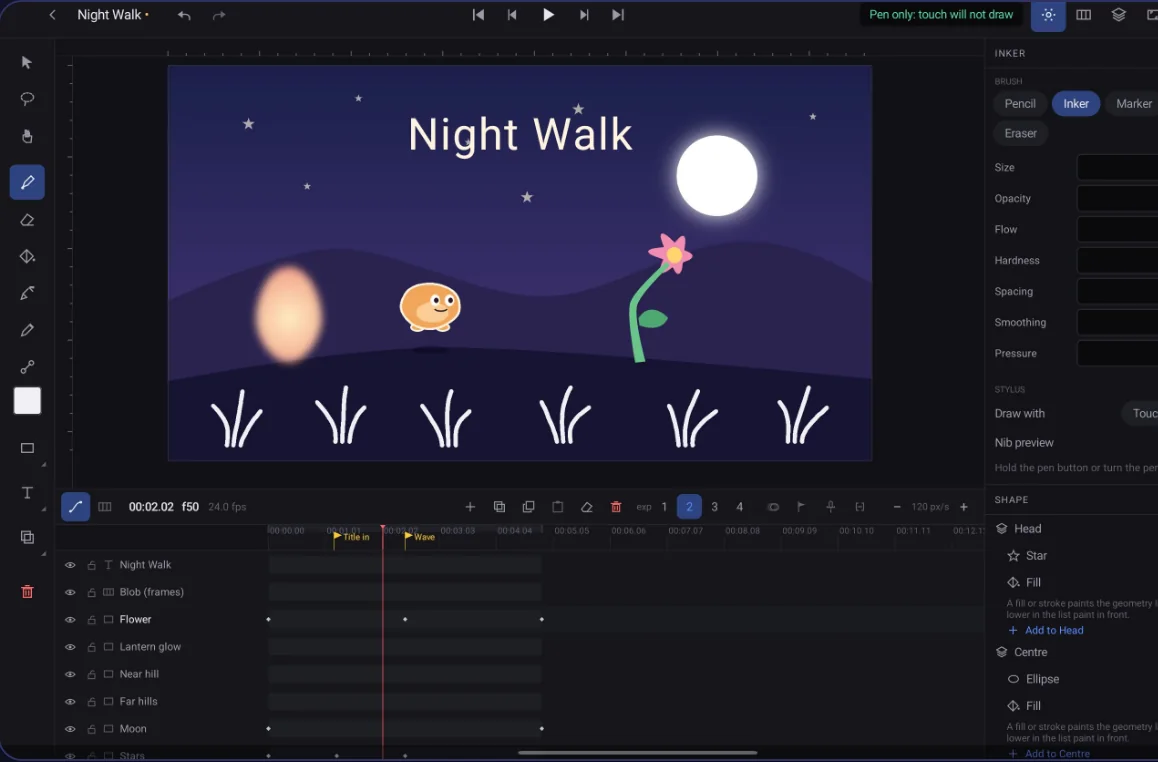
Built for the pen
Low-latency ink with pressure. Pen-only mode with palm rejection, while a finger pans and zooms. A mouse and keyboard work too, including Samsung DeX.
- Pencil, inker, marker, airbrush and eraser
- Size, opacity, flow, hardness, spacing and smoothing
- Right-click menus and keyboard shortcuts
Export
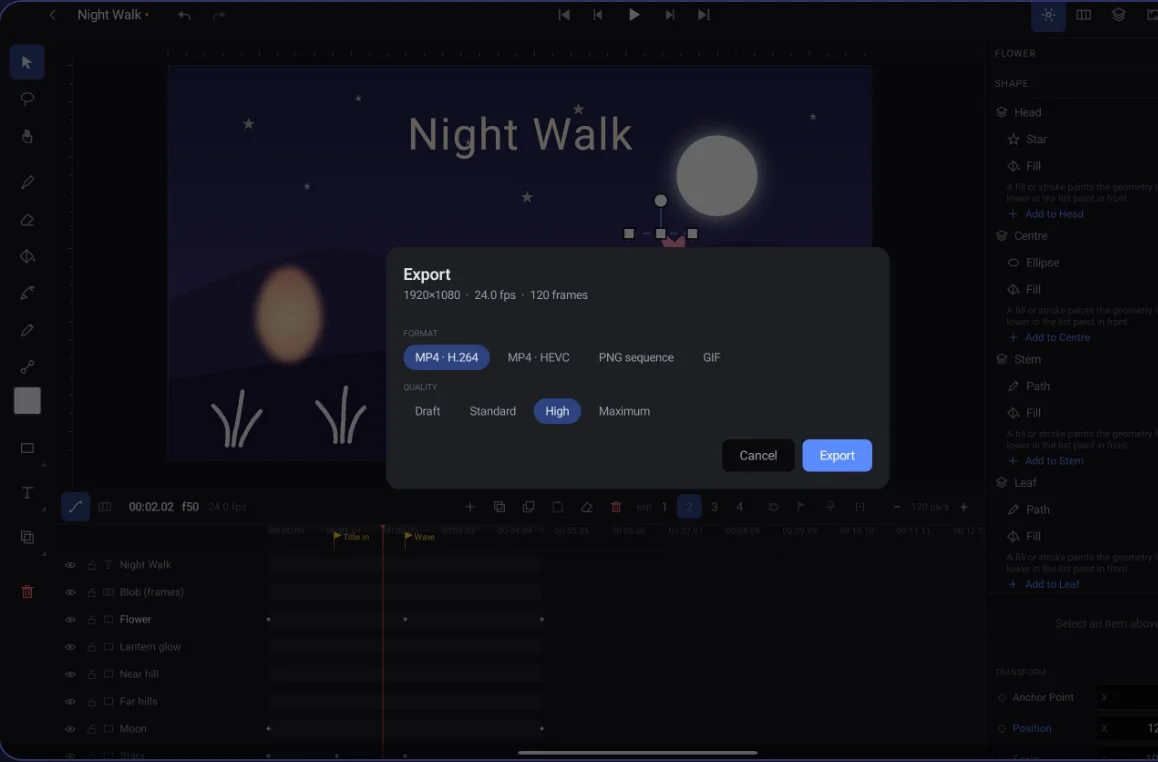
MP4, GIF or PNG frames
H.264 or HEVC with sound, an animated GIF, or a PNG sequence for further work. Export keeps going in the background when you leave the app.
Straight answers
What you get, and what you don’t
Learn
Start animating today
Short, practical guides — written for AnMotion, useful anywhere.
How to animate on a tablet
From the first drawing to an exported MP4: the bouncing ball, timing, spacing and keyframes.
Onion skin, explained
What the ghosts show, why they should count drawings, and settings that keep them readable.
Keyframes and easing
Why linear motion looks robotic, and how ease curves, loops and motion paths fix it.
FAQ
Before you install
Is AnMotion free?
Yes. The free version is the whole app — every tool, every export format, no watermark — with one project at a time. A single one-time purchase unlocks unlimited projects. It is not a subscription.
Does it work on phones?
No. AnMotion is built for Android tablets: the canvas, timeline and inspector are on screen at once, and on a phone they do not fit. Google Play only offers it to tablets running Android 10 or newer.
Do I need a stylus?
A pressure-sensitive stylus such as the Samsung S Pen gives the best line, and there is a pen-only mode with palm rejection. You can also draw with a finger, and the motion tools work with touch, mouse and keyboard.
Are my projects uploaded anywhere?
No. There is no account, no cloud, no ads and no analytics. Projects stay on your tablet.
Draw it. Then make it move.
The whole app is free with one project. One purchase, no subscription, unlocks as many as you like.
Free on Google Play · Android tablets