Switching apps
Coming from FlipaClip? Keep the flipbook. Add the motion.
If you learned to animate in a flipbook app and want more on a tablet, here is what will feel familiar in AnMotion, what is new, and where it may not suit you.
What will feel familiar
- Drawing frame by frame with a pressure-sensitive pen, with pencil, inker, marker, airbrush and eraser brushes.
- Onion skin, layers, a fill bucket, lasso selection and colour palettes.
- Recording and importing sound, and exporting to MP4 or GIF.
What is new
AnMotion is also a motion graphics editor, and the drawn animation lives inside it:
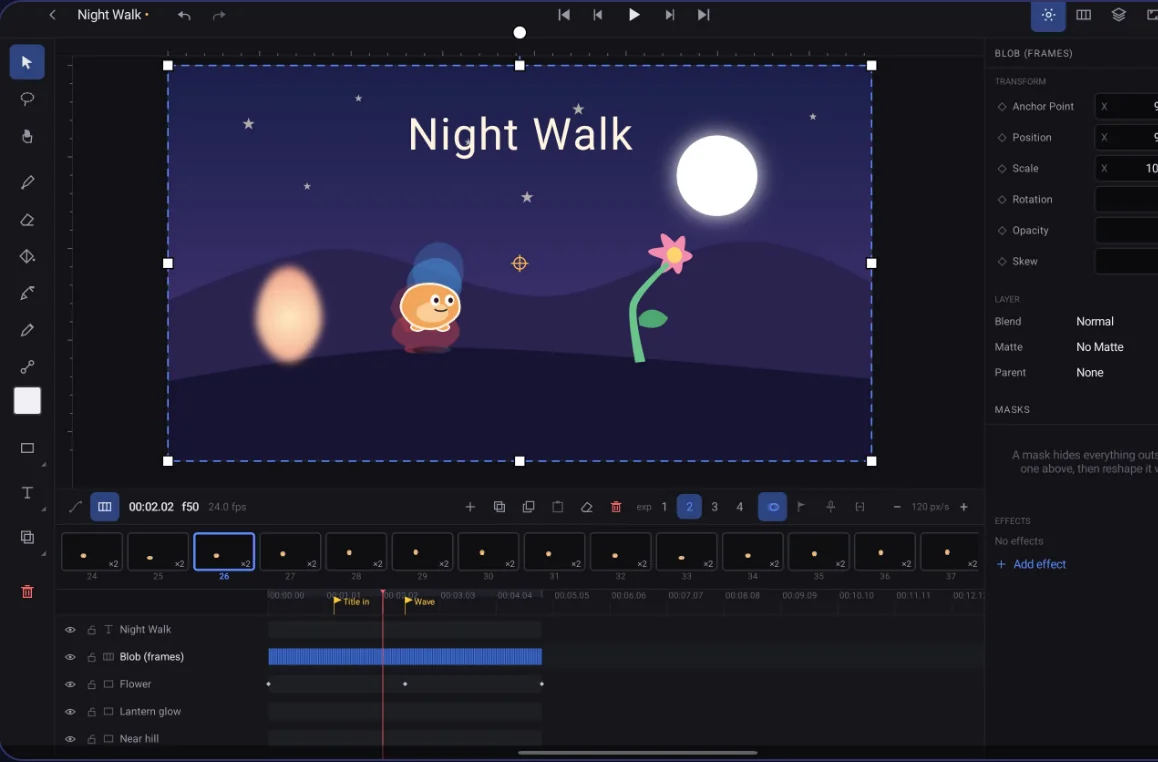
- Keyframes on drawn layers. Move, scale, rotate and fade a hand-drawn animation without redrawing it.
- Exposure. Hold each drawing on ones, twos or threes; the onion skin counts drawings, so on twos it still shows the previous drawing.
- Masks and track mattes, blend modes and effects such as blur and glow.
- Vector shapes, text animators and bones with inverse kinematics.
- Precompositions to reuse an animated piece, and a PNG sequence export.
How AnMotion is sold
The free version is the whole app with one project: every tool and export format, no watermark and no ads. One one-time purchase unlocks unlimited projects; there is no subscription. See pricing.
When it is not the right fit
- You animate on a phone. AnMotion needs a tablet screen and is not offered for phones.
- You use an iPad, Chromebook-only setup or a PC. AnMotion is Android-only (tablets, Android 10+).
- You want an online community inside the app — AnMotion has no accounts or sharing feed; your work stays on your device.
Start with the how-to-animate guide: it draws a bouncing ball frame by frame and then moves it with keyframes — the two halves of AnMotion in ten minutes.
Draw it. Then make it move.
The whole app is free with one project. One purchase, no subscription, unlocks as many as you like.
Free on Google Play · Android tablets