Frame-by-frame animation
A flipbook that knows how animators count.
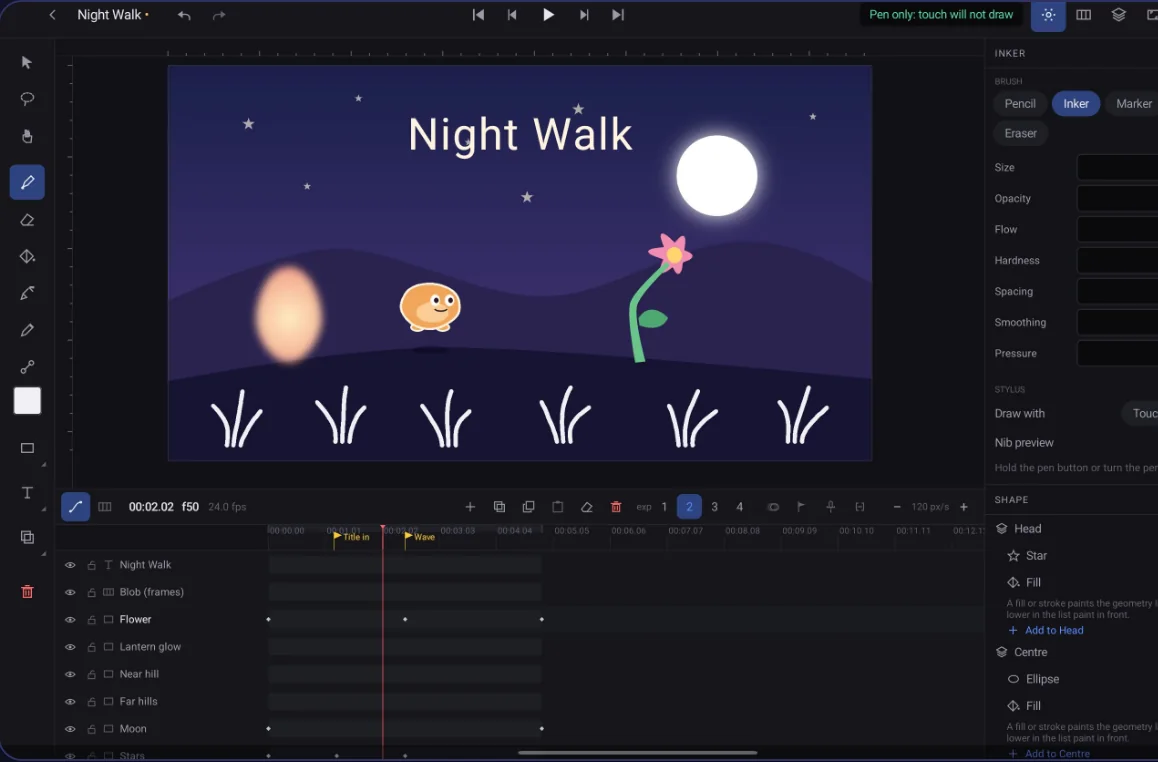
Traditional, hand-drawn animation on an Android tablet: draw each drawing with a pressure-sensitive pen, see its neighbours through the onion skin, hold it for as many frames as the timing needs.
The line
Ink that keeps up with the pen
AnMotion draws on a low-latency, front-buffered surface, so the stroke stays under the nib instead of trailing behind it. Pressure controls size and opacity; smoothing steadies a shaky hand without rounding off every corner.
- Pencil, inker, marker, airbrush, eraser
- Pen-only mode with palm rejection
- A finger pans and zooms while the pen draws
Timing
Drawings, not frames
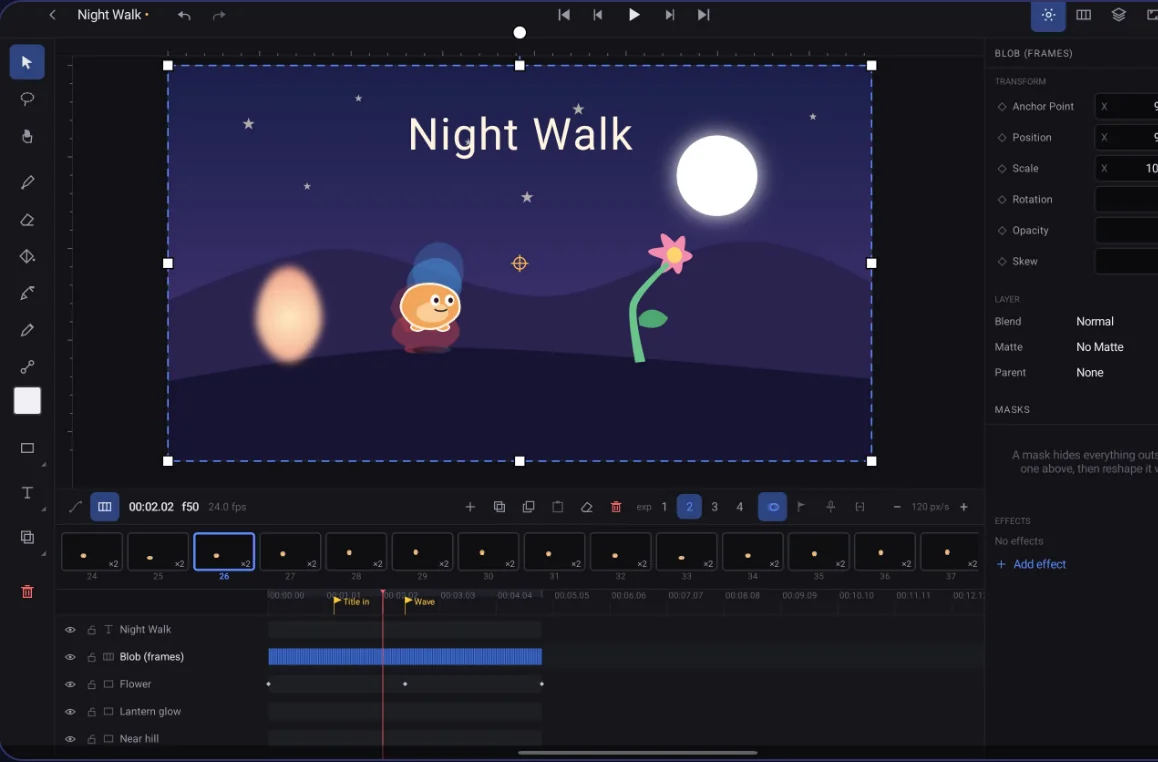
Most hand-drawn animation is shot on twos: every drawing holds for two frames. In AnMotion the onion skin and the step buttons count in drawings, so “one back” is always the previous drawing — never a duplicate frame of the one you are on.
- Expose each drawing on ones, twos or threes
- Onion skin range in drawings, tinted before and after
- Reorder drawings by dragging them in the frame strip
Why draw frame by frame in a motion app?
Because the drawing is rarely the whole shot. A character drawn on twos usually needs to walk across a background, sit behind a mask, glow, or follow a camera move. In a pure flipbook app that means exporting the drawn animation and finishing it somewhere else — and starting over when the timing changes.
In AnMotion a drawn layer is a layer like any other. You can:
- move it with keyframes while it plays its drawings — a walk cycle travelling along a motion path;
- parent it to a shape or another layer, so a drawn mouth follows a head;
- mask it or use it as a matte — light through a window, a reveal, a wipe;
- add effects — blur, glow, drop shadow, colour adjustments — and animate them;
- put it in a precomposition and reuse the whole animated piece.
Colour without a mess
The fill bucket looks at line art on every visible layer, not only the one you are painting. Keep lines on one layer and flat colour on another below it, and the fill still finds the shapes. It also closes small gaps in the line, so a stroke that does not quite meet does not flood the whole frame.
What you can make
- Short loops and GIF stickers, exported as an animated GIF
- Animatics and storyboards with sound — record dialogue right onto the timeline
- Hand-drawn animation for video, exported as MP4 with H.264 or HEVC
- Frames for a compositing pipeline, exported as a PNG sequence
New to this? The how-to-animate guide walks through a bouncing ball on twos, then finishes it with a keyframed camera move.
Draw it. Then make it move.
The whole app is free with one project. One purchase, no subscription, unlocks as many as you like.
Free on Google Play · Android tablets